Connect your Shopify site in a few clicks (no plugin required) and publish straight from Neotype. Skip copy-paste and tab-switching; ship posts as Draft or Published.
Configure from the dashboard
Choose the target site, author, status, brand voice. and references
Publish in one click
Your post will be published instantly or on the date you scheduled it in the Neotype Dashboard.
Steps
Connect your Shopify blog
Step 1
Choose Shopify integration
In the "integrations" section you will see the Shopify integration, click on it.
Step 2
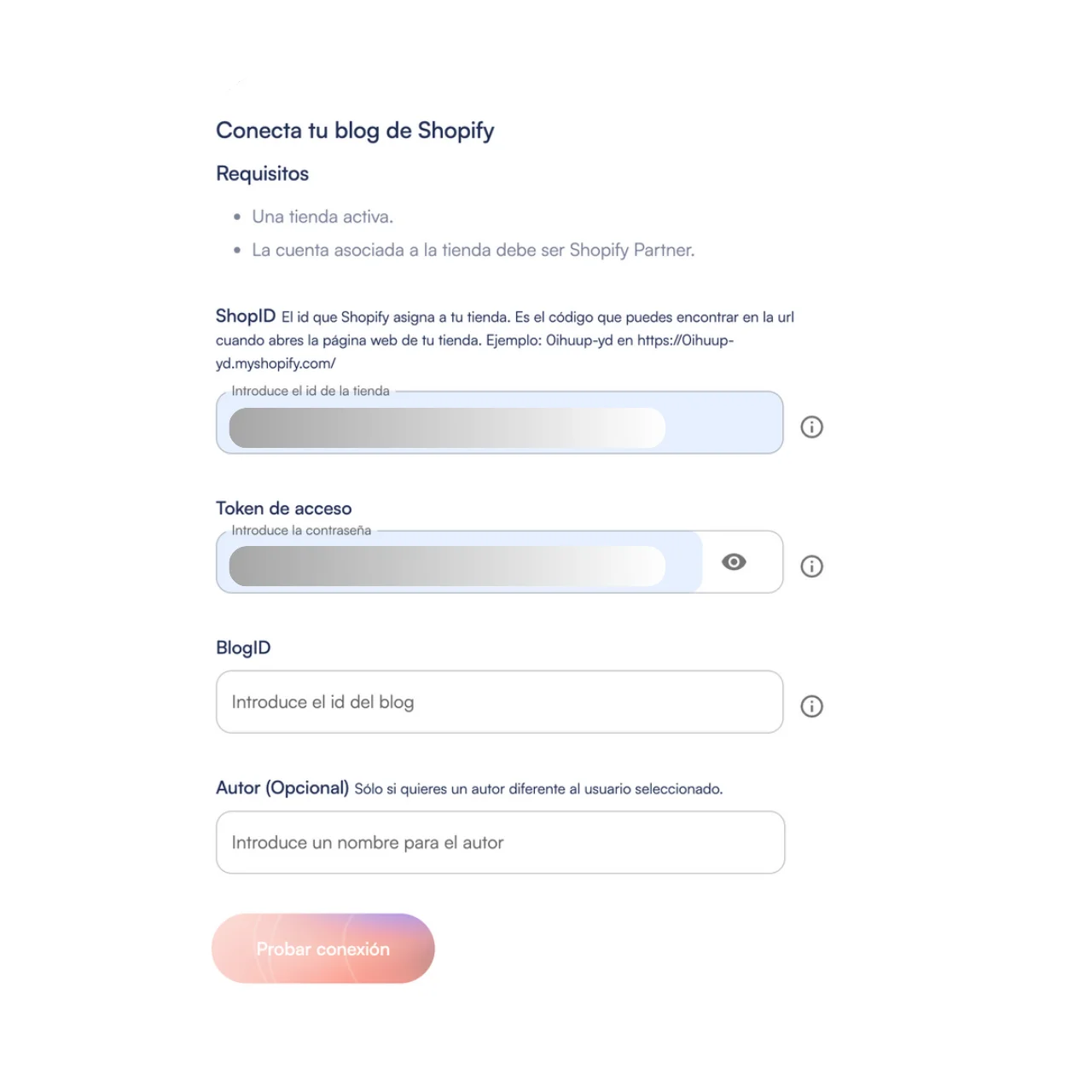
Fill out the requirements
Add your site details and so Neotype can publish on your website. It takes about a minute.
Step 3
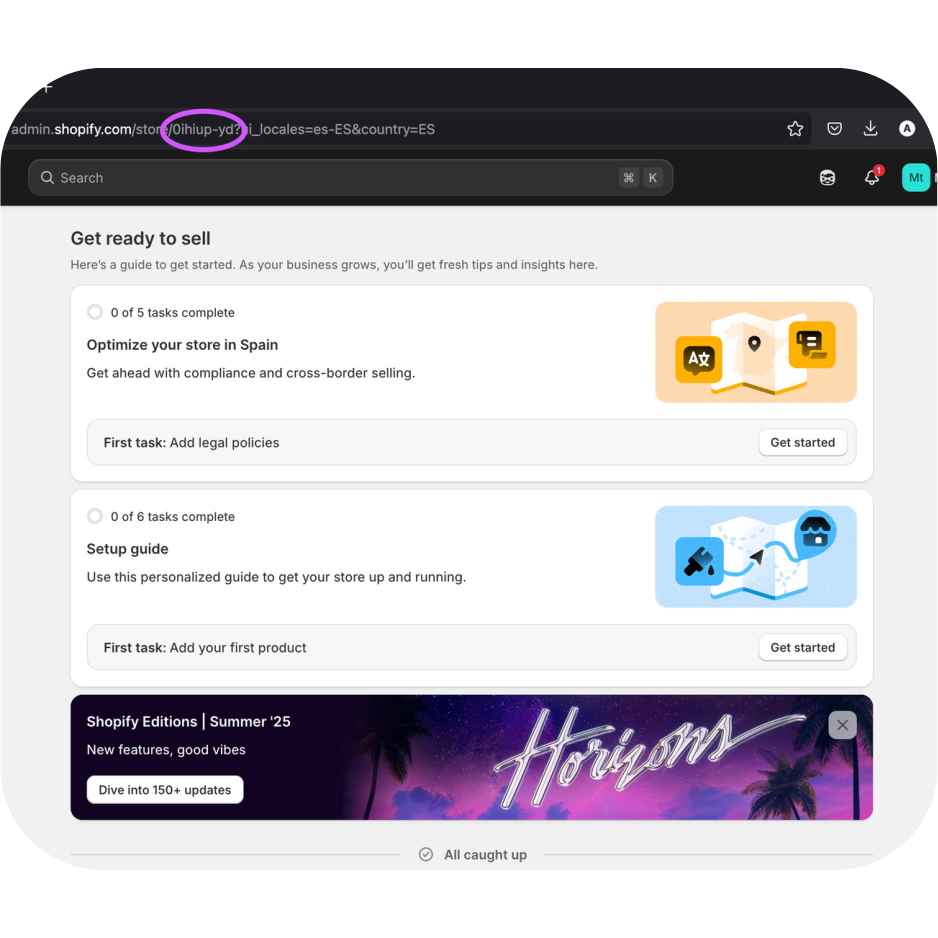
Copy the Shop ID
In the dashboard url, after the word “/store”, you’ll see an alphanumeric identifier: that’s the ShopID.
Step 4
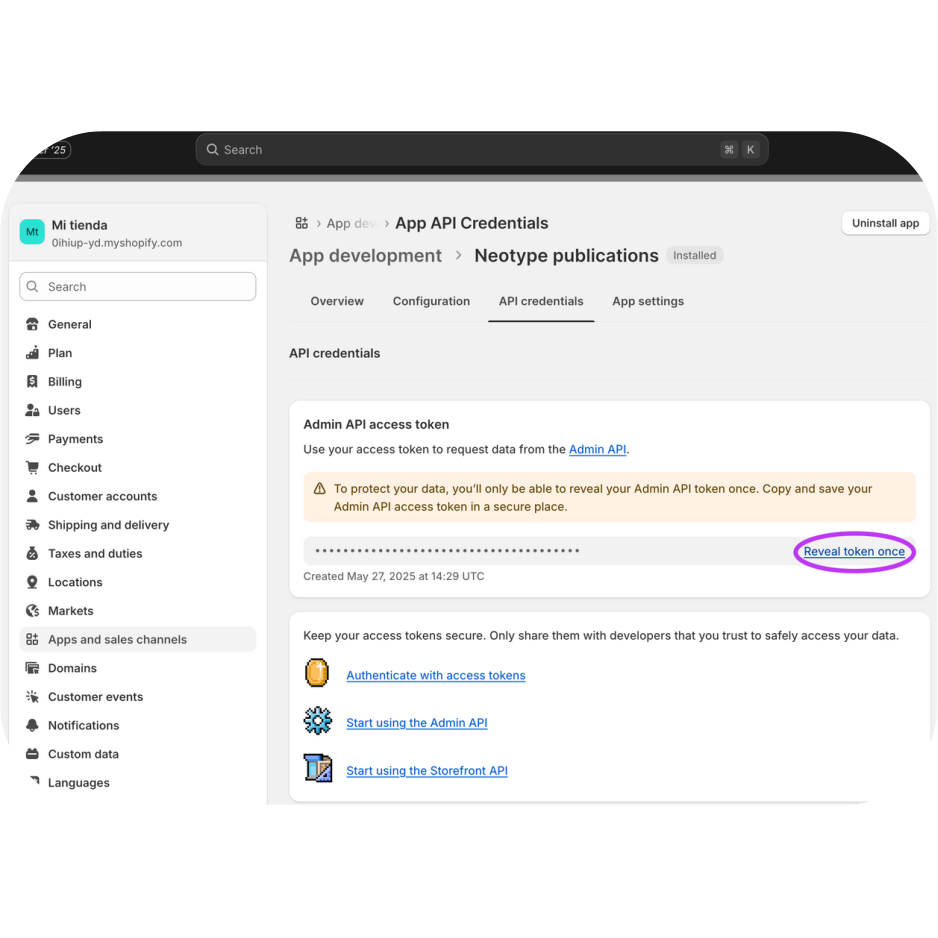
Copy the Access Token
To create the “Access Token”:
1. From your Shopify dashboard go to the App Develpment section (you can do this by typing “app” in the search bar).
2. Click Create an app.
3. In the new dialog, write a name for your app and create it.
4. Once the app is created, open it and go to the API credentials tab.
5. In the Access tokens section, click on Configure Admin API scopes.
6. In the list, activate ONLY the write_content’ and read_content permissions and then, click Save.
7. Again from the API Credentials tab, click on Install app.
8. Once the app is installed, you’ll be given access to the token. Be careful, as you can only reveal the token once.
Step 5
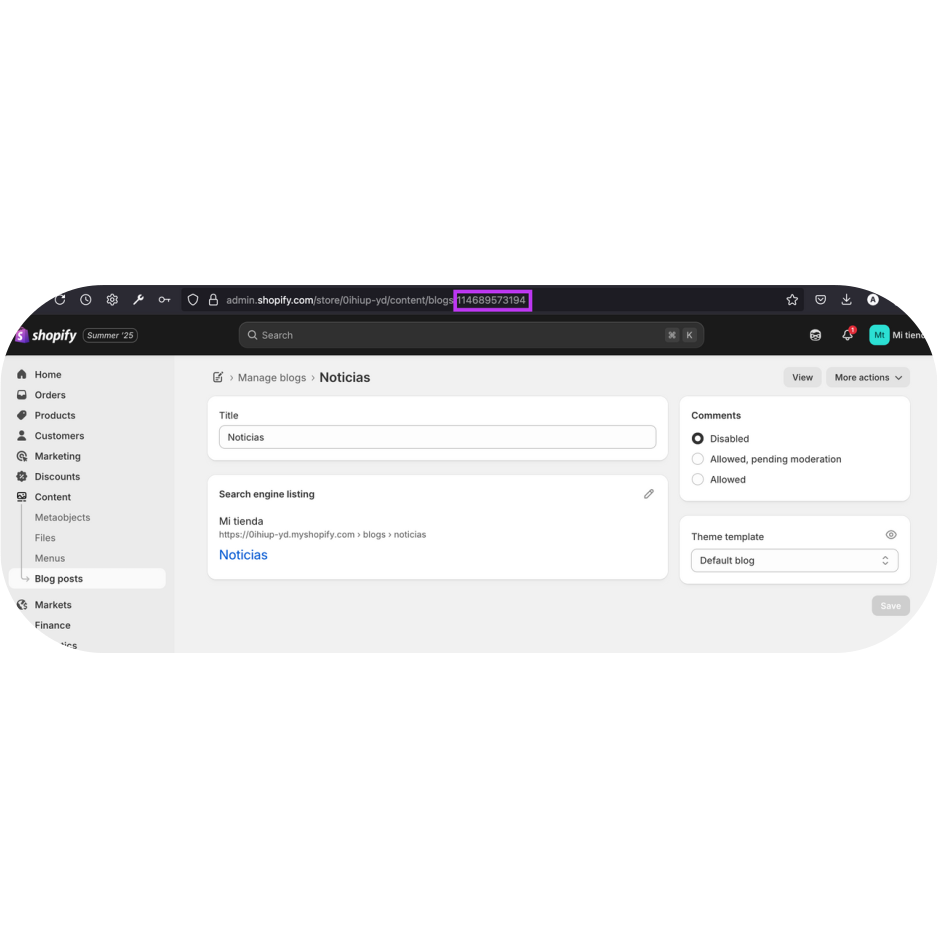
Copy the Blog ID
1. From your Shopify dashboard, go to the Content section.
2. Open “Blog posts” in the menu and click on “Manage blogs”.
3. Click on the name of the blog in which you want to publish the posts.
4. Once the blog management page is opened for the specific blog, you’ll see a long numeric identifier at the end of the url: that’s the BlogID.
Step 6
Choose the author and start publishing!
You can choose a different author than the selected user if you wish.
Testimonials
Hear our customers
"I’ve tried several AI writing tools, but Neotype is in a league of its own. The quality of the content feels natural, professional, and engaging. It has completely transformed the way I create articles for my business!"
Brian O'donell
Content Marketer
"Neotype has cut my content creation time in half! The AI understands exactly what I need and delivers SEO-friendly, well-structured articles in minutes. A must-have for any content professional."
Laura Kim
Journalist
"I love how Neotype integrates effortlessly with my WordPress and Shopify stores. Now I can generate blog posts without switching between platforms. It’s a huge productivity boost!"
Sophie L.
eCommerce Manager
"Unlike other AI tools, Neotype creates content that sounds authentic and engaging. The writing flows naturally, making it perfect for professional use in blogs, news articles, and marketing materials."
Mark Evans
Digital Marketing Lead
FAQs
Frequently Asked Questions
Is the Neotype's Shopify integration free?
Yes. Neotype’s Shopify integration is included at no extra cost with your subscription
How can I get access to the Shopify integration?
Copy the Shop ID
Copy the Access Token
Copy the Blog ID
Choose the author
Start publishing
Post faster
Make it easy.
Create high-quality, AI-powered content across any category. Optimize with advanced SEO features, schedule your publishing calendar, and save valuable time effortlessly.