Why appearing in Google’s AI Overviews matters
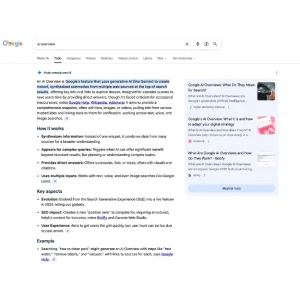
Google’s AI Overviews are AI-generated snapshots that can appear at the top of the search results, with supporting links to websites people can visit to learn more. Google shows them when its systems believe generative AI will be especially helpful—typically for more complex, multi-source questions.
AI Overviews have expanded broadly (availability varies by country/language), which means the opportunity to earn visibility in AI-powered SERP features is now relevant for most content teams—not just early adopters.
The most important thing to know (straight from Google)
Google’s guidance is clear:
- There are no special optimizations required to appear in AI Overviews (or AI Mode).
- The same foundational SEO best practices apply.
- A page must be indexed and eligible to appear with a snippet in Google Search to be eligible as a supporting link.
- You don’t need special schema, “AI files,” or new markup specifically for AI Overviews.
That means your goal isn’t to “game” AI Overviews. Your goal is to make your pages the best, most reliable, easiest-to-extract answer for the kinds of queries that trigger AI features.
Deeper: Generative Engine Optimization
How Google’s AI features find and choose information
Google describes AI Overviews and AI Mode as systems that may use a “query fan-out” approach: breaking a question into subtopics, searching across them, then assembling a response with links to sources.
What that implies for SEO (practically):
- You need strong coverage not only of the “main query,” but also related subquestions and supporting concepts.
- Clear structure matters because the system is assembling information quickly from multiple places.
- Trust signals matter because AI responses can be wrong—and Google warns users that AI responses may include mistakes.
Step 1: Meet the technical eligibility baseline (non-negotiable)
If you aren’t eligible to be crawled, indexed, and shown with a snippet, you’re effectively invisible to AI Overviews.
Google’s minimum technical requirements include:
- Googlebot isn’t blocked
- The page returns HTTP 200 (success)
- The page has indexable content
Also remember: meeting requirements doesn’t guarantee indexing or serving.
Fast wins to check today
Robots & access
- Confirm your important pages are not blocked by robots.txt, CDN rules, WAF settings, or login walls.
Indexation
- Make sure you’re not accidentally using noindex on pages you want to be cited.
Canonicalization
- Ensure the canonical URL is the one you want Google to index and cite.
Text-first accessibility
- Important content should exist in readable text (not only in images, video, or blocked JS output). Google explicitly recommends making important content available in textual form.
Step 2: Don’t sabotage your own AI Overview visibility with preview controls
If you limit snippets, you may also limit your content’s ability to be used in AI features.
Google explains that:
- nosnippet applies across Search surfaces including AI Overviews and AI Mode, and can prevent content from being used as a direct input.
- max-snippet can limit how much content may be used as direct input for AI Overviews/AI Mode.
- data-nosnippet can exclude specific sections from snippets.
Practical guidance
- If you want to appear in AI Overviews, avoid sitewide snippet restrictions on your most valuable informational pages.
- If you must restrict, use surgical controls (data-nosnippet on sensitive sections) rather than blanket nosnippet.
Step 3: Write for the query and the fan-out (semantic coverage that matches intent)
Because AI systems may expand a query into subtopics, pages that win tend to be those that:
- Answer the core question quickly
- Cover the next questions users naturally ask
- Provide definitions, comparisons, steps, and caveats in a clean structure
- Stay aligned with the user’s actual job-to-be-done (not just keywords)
A content structure that tends to perform well
Use this layout as a repeatable template:
- Short direct answer (2–3 sentences) near the top
- What it is / why it matters (context)
- Step-by-step instructions (if applicable)
- Common mistakes / edge cases
- FAQs (real questions, not keyword-stuffed)
- Sources and references (especially for YMYL-adjacent topics)
Google’s “helpful content” guidance encourages content that is original, comprehensive, and adds value beyond rewriting what others say.
Step 4: Make E‑E‑A‑T visible on the page (not implied)
Google’s guidance isn’t “add E‑E‑A‑T keywords.” It’s: make it easy for users (and systems) to recognize who created the content, how, and why.
Also, Google explicitly frames Trust as the most important element in the E‑E‑A‑T family.
On-page E‑E‑A‑T actions you can implement this week
Experience (the “I’ve done this” signal)
- Include first-hand details: screenshots, photos, tested steps, real constraints, measured outcomes.
- Add specifics that generic summaries won’t include (tool versions, settings, decision criteria, pitfalls).
Expertise (the “I know what I’m talking about” signal)
- Add a short “How we evaluated this” or “Methodology” section when relevant.
- For technical/medical/legal/financial topics, align claims with reputable consensus and avoid speculation.
Authoritativeness (the “others recognize this source” signal)
- Strengthen topical clusters (supporting articles that interlink) so your site is consistently useful across the topic area.
- Earn mentions and citations from relevant communities, publications, or industry orgs (where appropriate).
Trustworthiness (the foundation)
- From Google’s quality rater guidance, trust relates to accuracy, honesty, safety, and reliability, and raters are instructed to look at things like what you say about yourself, what others say about you, and what is visible on the page.
Concretely:
- Display clear About, Contact, and Editorial policy pages.
- Show author bylines and link them to author profile pages with credentials and relevant experience (only if accurate). Google encourages accurate authorship information where readers expect it.
- Keep content updated when facts change (and don’t fake freshness by changing dates without meaningful updates—Google explicitly calls that out as a bad practice).
Step 5: Optimize formatting for “extractability” (without writing for robots)
AI Overviews favor content that is easy to parse into a summary. You can improve your odds by formatting clearly:
- Use question-based H2/H3 headings that match real subquestions
- Prefer short paragraphs
- Use lists and tables when they genuinely improve comprehension
- Define terms cleanly (one-sentence definitions work well)
- Add “When to use / When not to use” sections for tools and tactics
Google also recommends supporting text with high-quality images and videos when appropriate and ensuring structured data matches visible text.
Step 6: Use structured data correctly (but don’t expect a “magic schema”)
Google’s documentation states there’s no special schema.org structured data required for AI Overviews and no need for special “AI markup.”
Still, structured data can help with:
- Eligibility for rich results
- Clear communication of entities (Article, Product, HowTo, FAQ where appropriate)
Rules of thumb
- Only use schema you qualify for.
- Keep it consistent with the visible page content.
Step 7: Strengthen internal discovery and topical authority
Google explicitly calls out internal linking as a best practice—making content easily findable through internal links.
To compete in AI Overviews, don’t rely on one “pillar” page alone. Build:
- A pillar page (the main guide)
- Supporting pages for each subtopic
- Internal links that reflect real user journeys (“next step” links, not only nav links)
This supports both classic SEO and AI fan-out coverage.
Step 8: Measure what’s working (and what’s missing)
Google states that sites appearing in AI features are included in the overall Search Console Performance report (Web search type).
They also note that clicks from SERPs with AI Overviews can be higher quality (users spending more time on the site).
Practical measurement workflow
1.In Search Console, monitor:
- Queries and pages gaining impressions/clicks
- Pages with rising impressions but flat clicks (may indicate SERP changes)
2. Track on-site engagement:
- Time on page, scroll depth, conversions (GA4 or equivalent)
3. Manually review SERPs for priority queries:
- Do AI Overviews appear?
- Are competitors cited?
- Which angles/subtopics are included that your page doesn’t cover?
Common reasons you don’t show up (even if you rank)
- If you rank well but aren’t cited, the gap is often one of these:
- Your page is indexed, but the answer isn’t clearly stated (too buried)
- Your content isn’t distinctive (rewrite of what’s already everywhere)
- Weak E‑E‑A‑T visibility: unclear author, no sourcing, no editorial signals
- Content is blocked, snippet-restricted, or otherwise limited
- Your page doesn’t cover the subtopics the system pulls in through fan-out
Final takeaway
If you want to appear in Google’s AI Overviews, focus on being the most reliable, clearly-structured, experience-backed resource for a topic—while meeting the same SEO technical requirements that power classic rankings.
Google’s message is consistent: no hacks, no special markup, no shortcuts—just strong technical foundations and genuinely helpful content.